 en
en

How to disable ability to change responsible person?
Documentation contents
To disable the change of responsible person functionality for specific user roles, follow these steps:
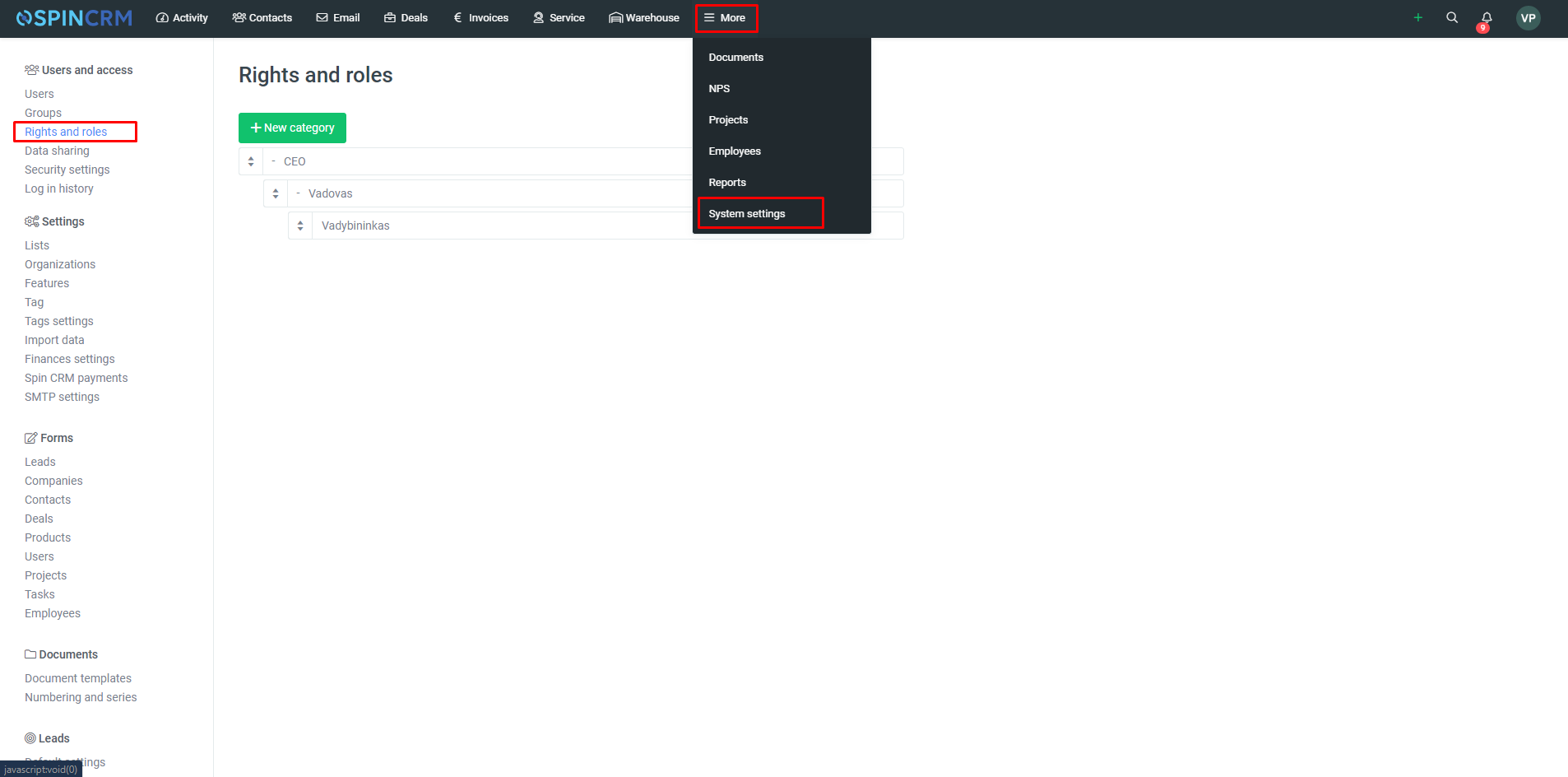
1. Open the System Settings window (More> System Settings);
2. Select Rights and Roles;
3. In the window that opens, select the role you want to edit;
4. After selecting a role and opening the role editing window, select Components Management at the top;
5. In the Component Management window, select the module in which you want to restrict the change of the Responsible person and expand the additional options;
6. In the optional options, uncheck the box if you do not want the specified role to change the responsible person.
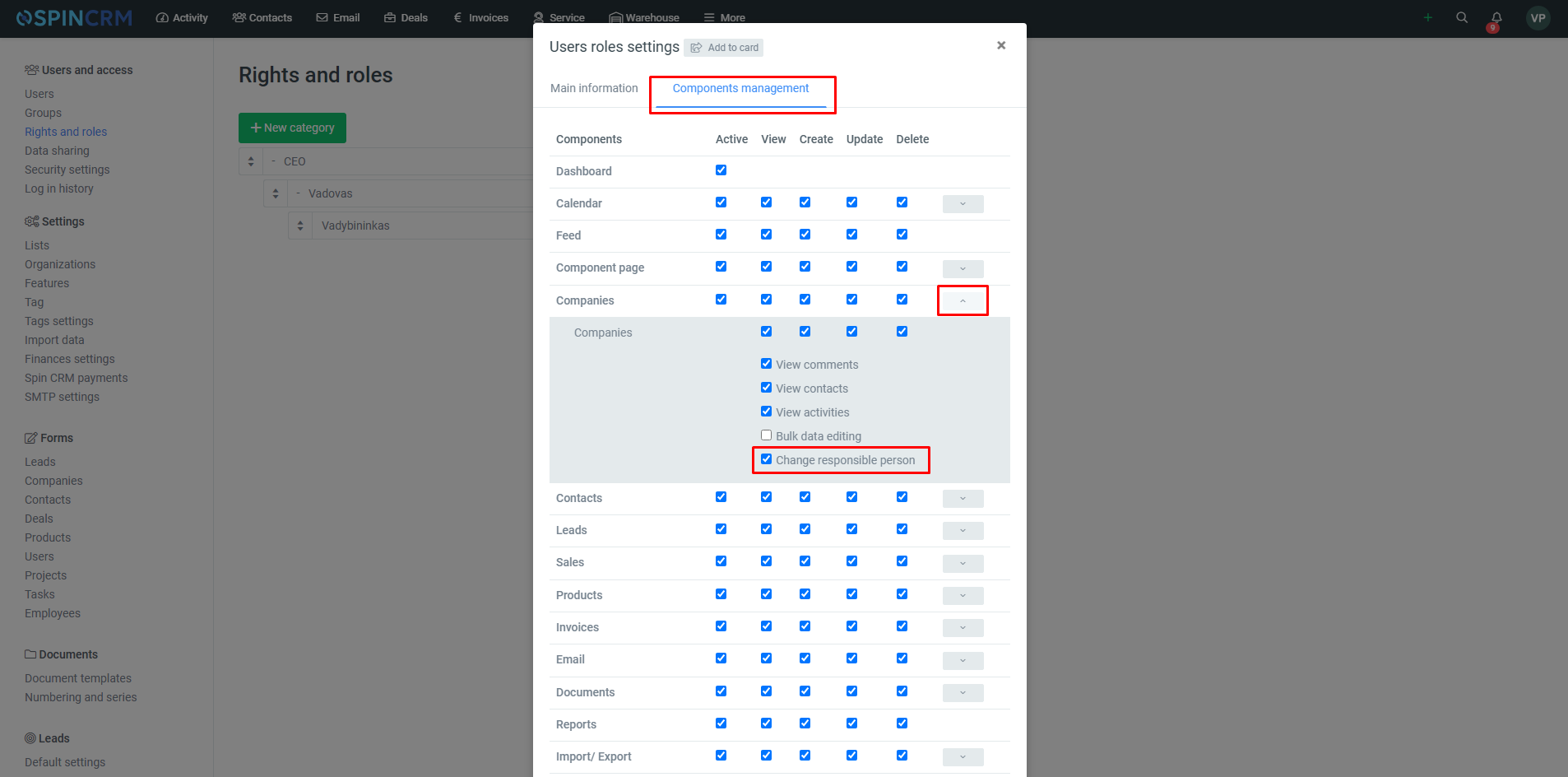
Important! You can restrict the change of the responsible person only in the Companies, Contacts, Leads and Deals modules.
Did not find your answer? Write to us