 en
en

Sales pipeline stages settings
Documentation contents
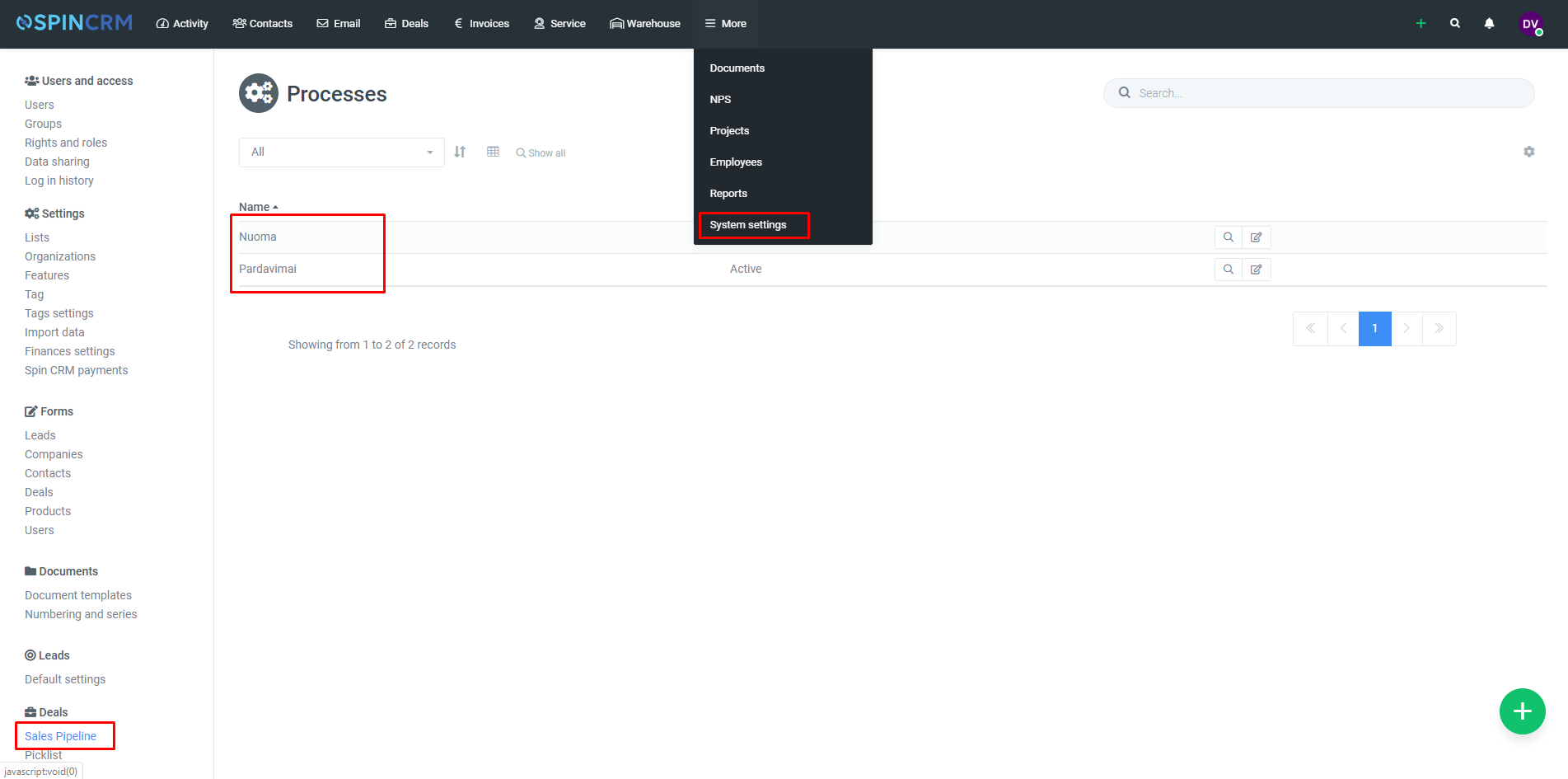
Each stage of the sales process has a period within which scheduled tasks should be completed. To set the milestone for each stage, you need to follow these steps:
1.Click on system settings;
2.Select Sales pipeline;
3.Choose sales pipeline you want to edit;
4.In opened up form select needed stage and press edit.
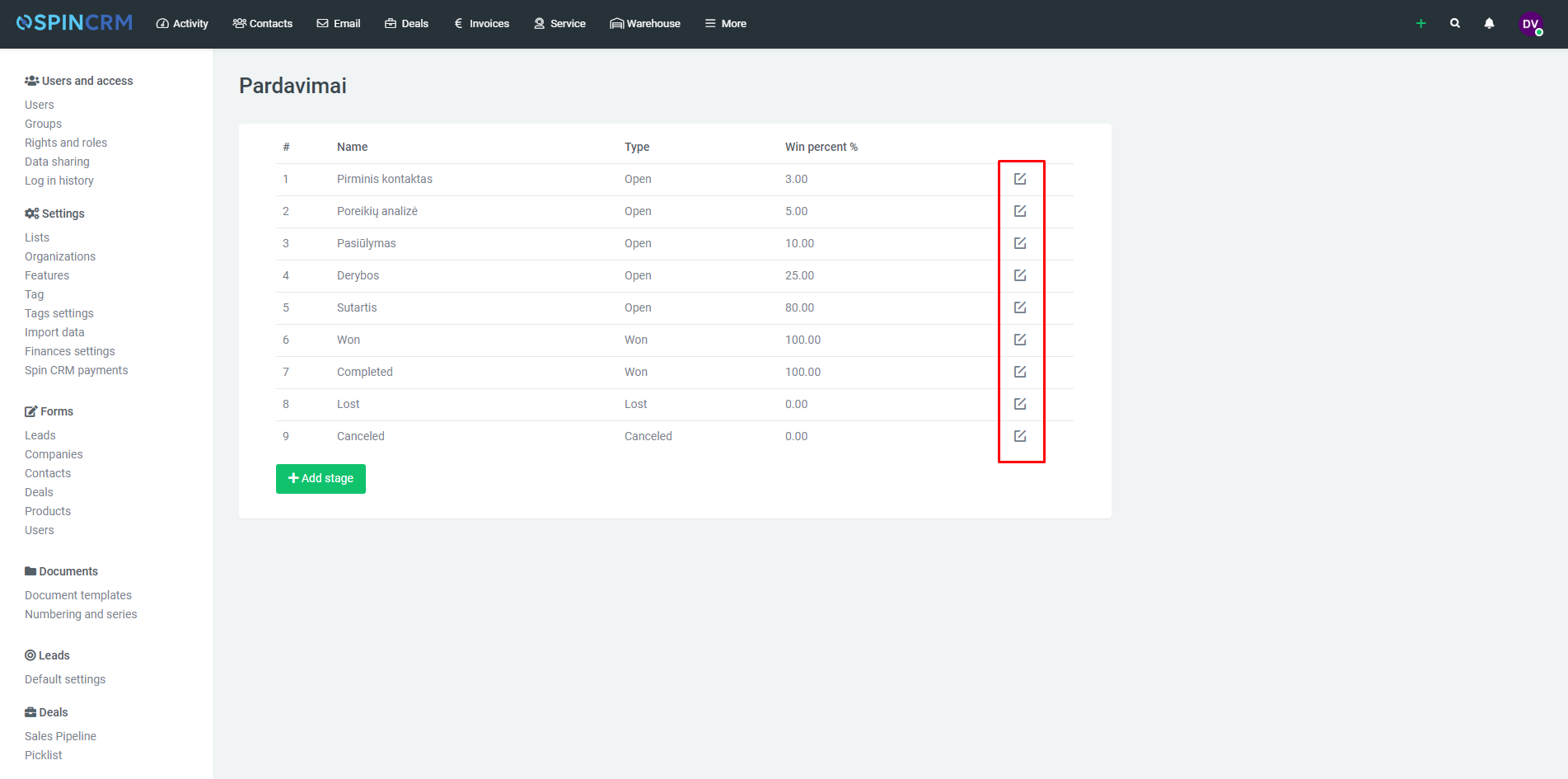
5.In field “after how many days report about unchanged stage” write number of days and press save.
Svarbu! Jei pardavimas išliks pardavimo stadijoje ilgiau nei vieną dieną nei numatyta nustatymuose, tokiu atvėju pardavimas bus atvaizduojamas raudoname fone.
Did not find your answer? Write to us