 en
en

Connecting IMAP/SMTP
Documentation contents
To connect to IMAP / SMTP email (for example: hostinger.com) follow these steps to set up mailboxes:
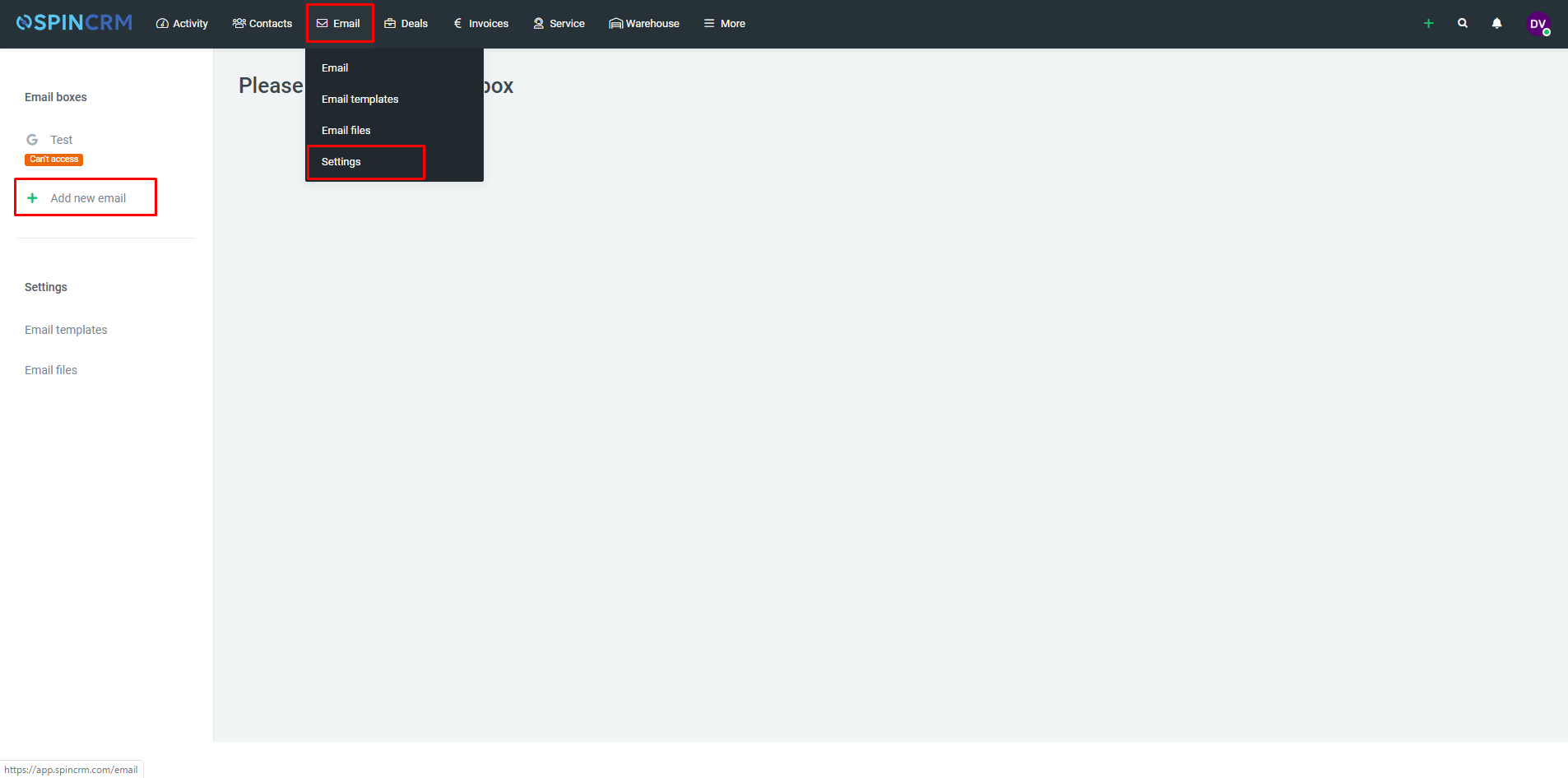
1.Below Email, select Settings;
2.Click on Add new email;
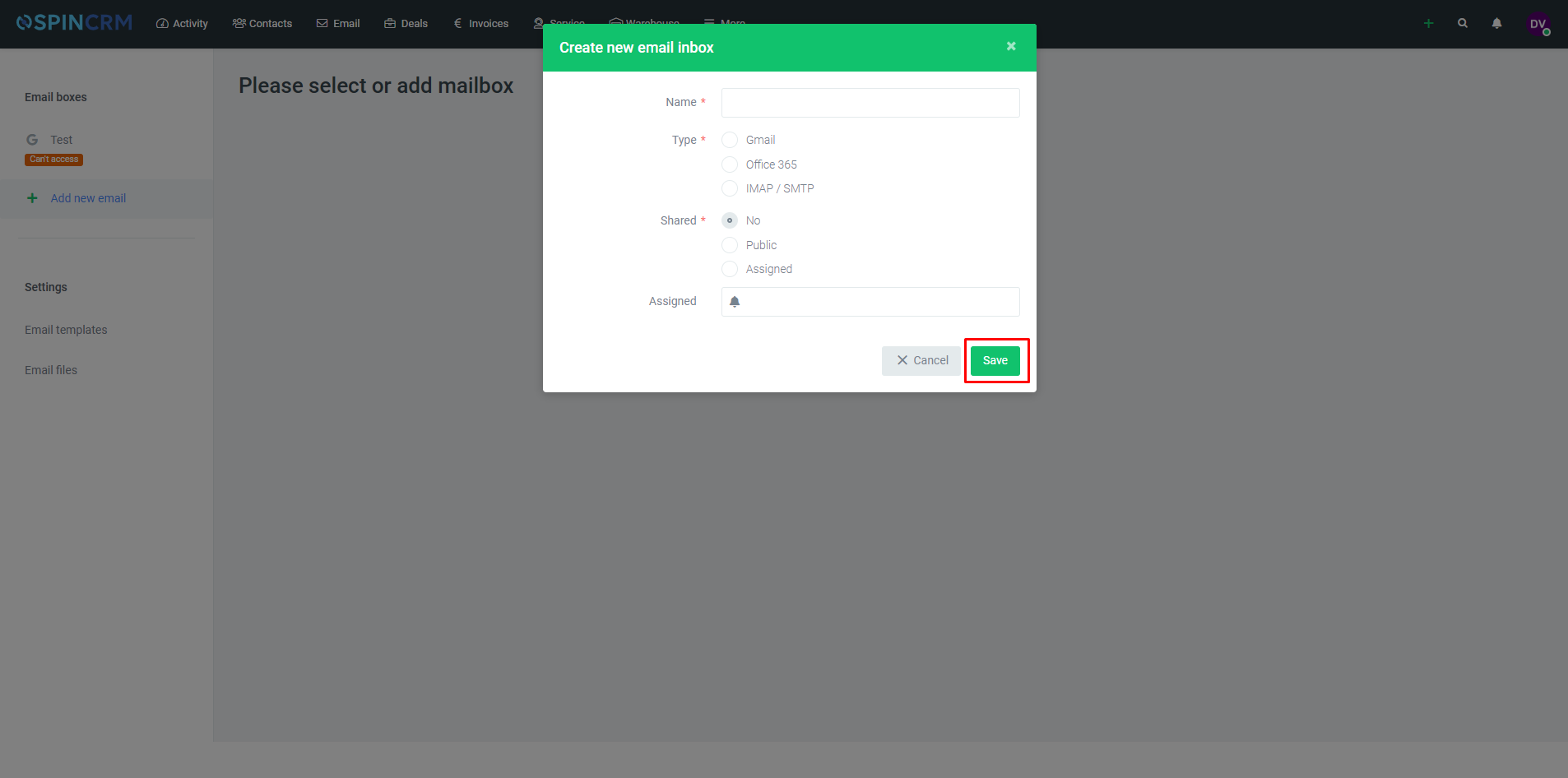
3.In newly opened window enter wanted email Name, choose IMAP/SMTP, choose shared options and click Save.
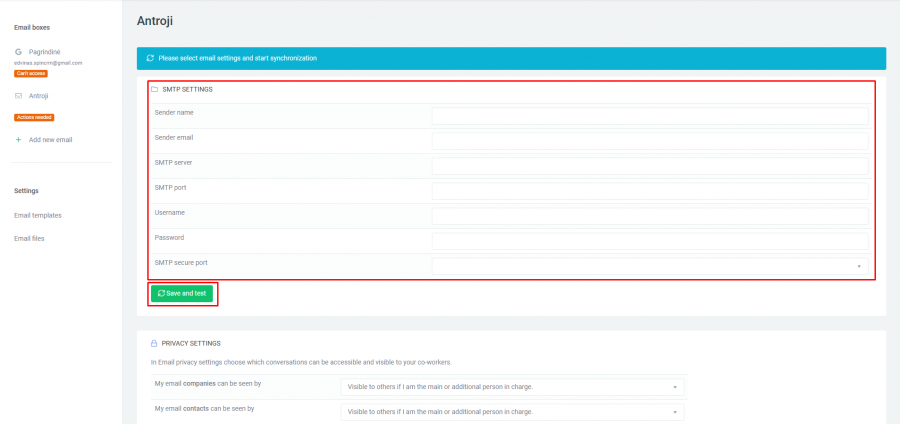
4.Fill all fields and click Save and test;
Important! With IMAP/SMTP you can only send emails.
Note! You will find all required data for IMAP/SMTP in your email provider’s website. Username and password is the same you use when you are logging into your email.
Did not find your answer? Write to us