 en
en

Creating sales pipeline
Documentation contents
Naujos stadijos pridėjimas Pardavimo procese
1.Click on system settings;
2.Select Sales pipeline;
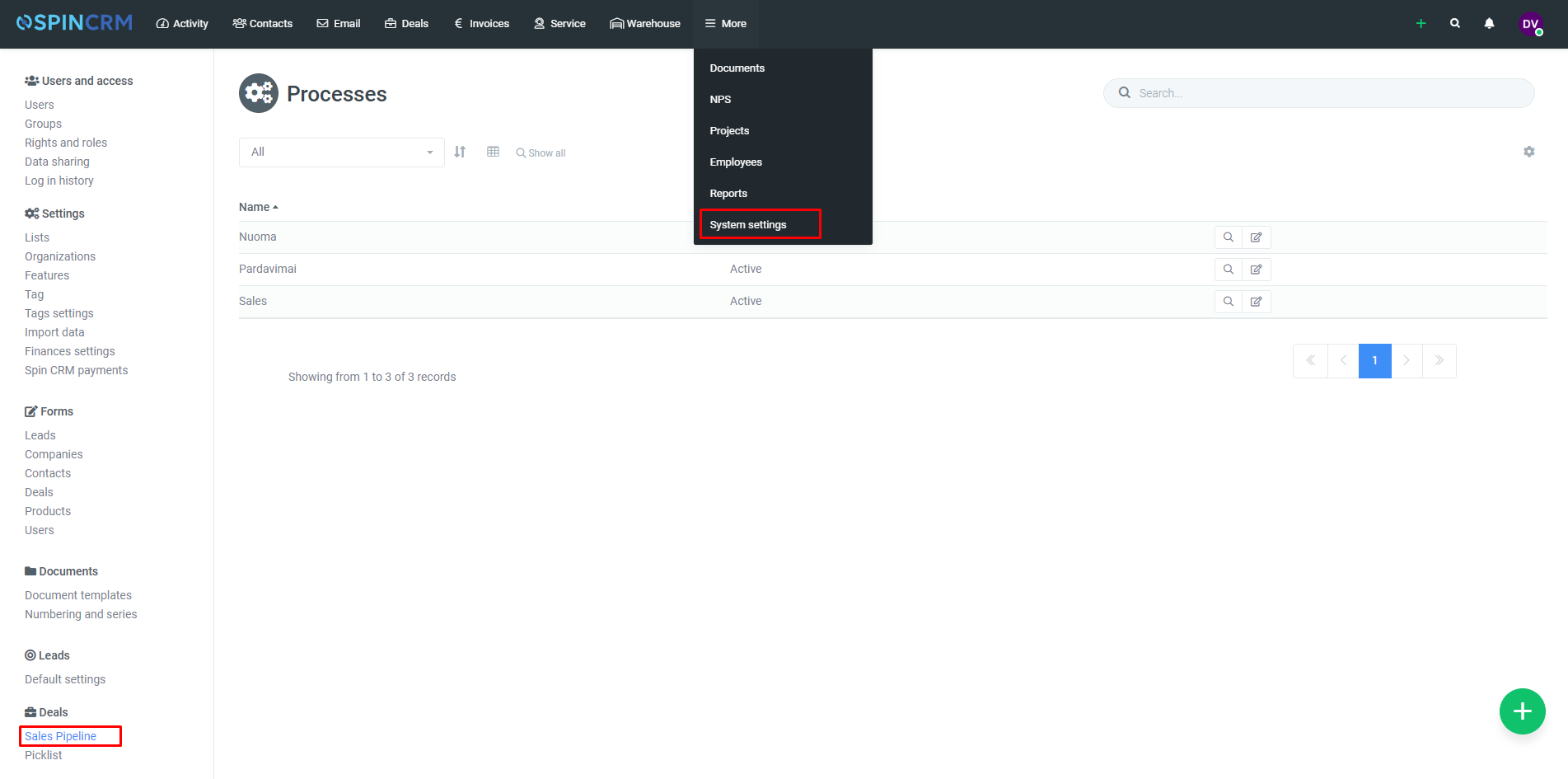
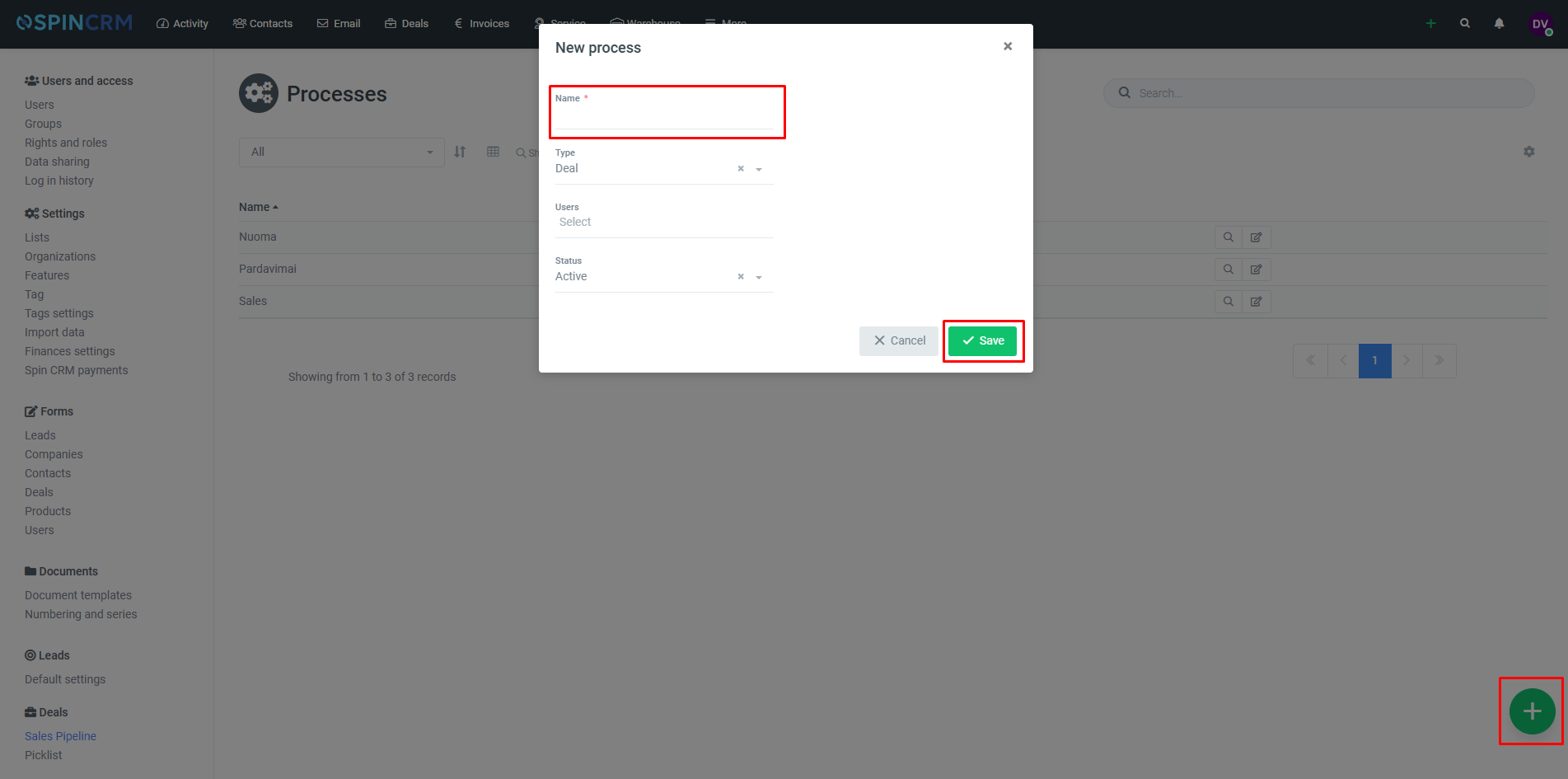
3.On the bottom right corner press “+” button.
4.In newly opened window enter sales pipeline name.
5.Click save.
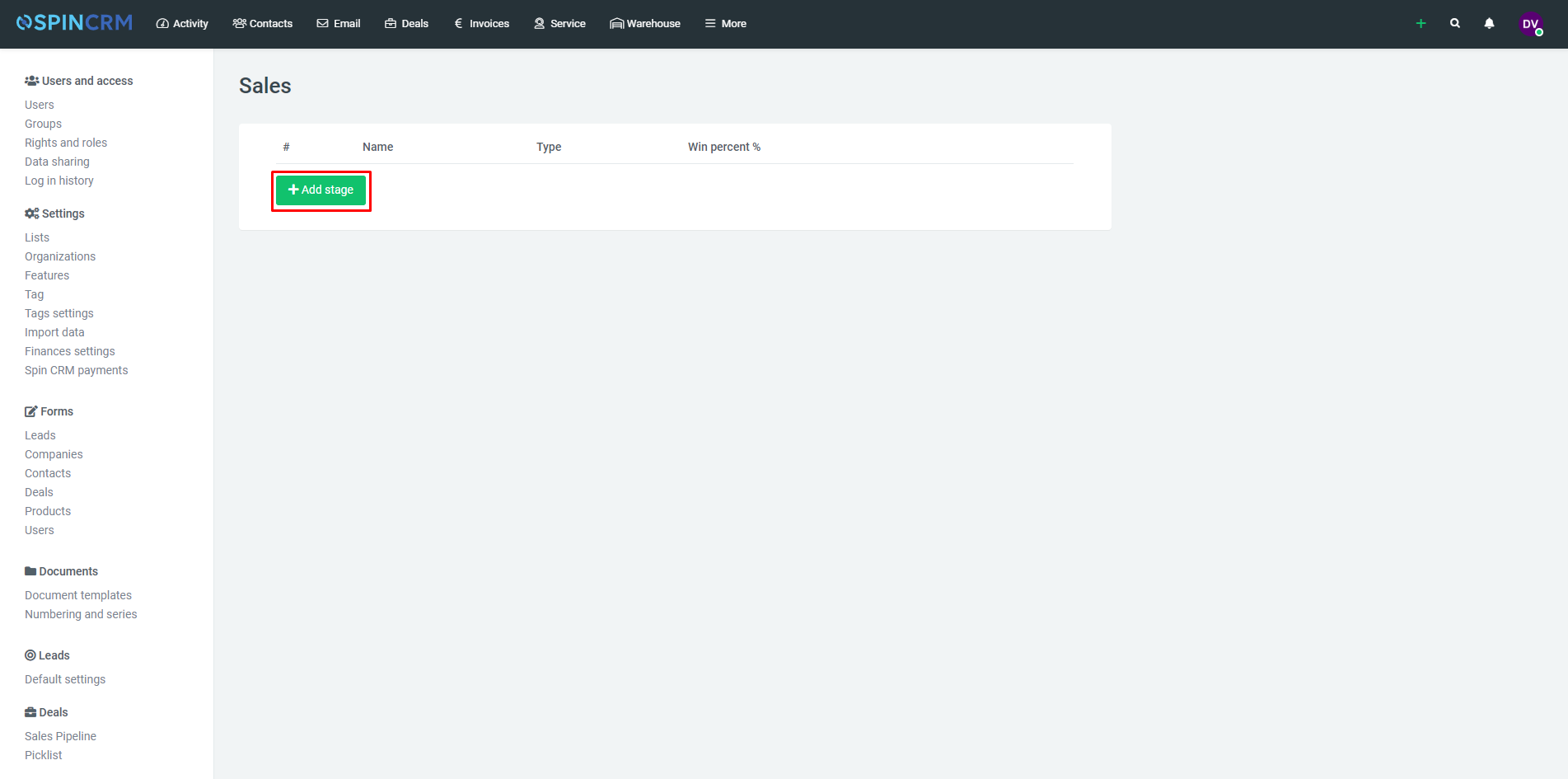
6.In newly created sales pipeline’s window press add stage.
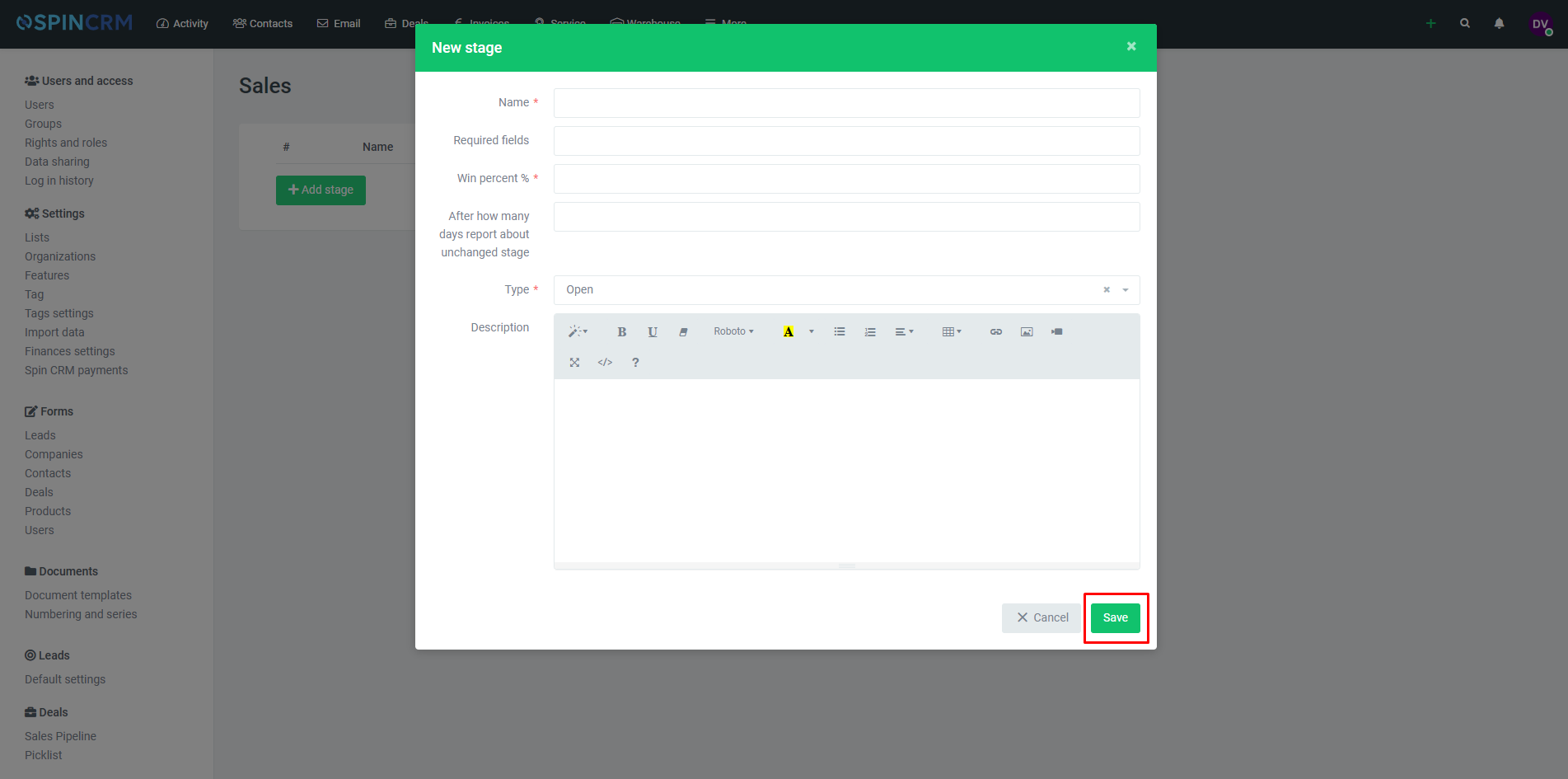
7.Fill as many as possible fields with information and press save.
Did not find your answer? Write to us