 en
en

Changing organization details
Documentation contents
You can change the details of your business at any time. By following these steps:
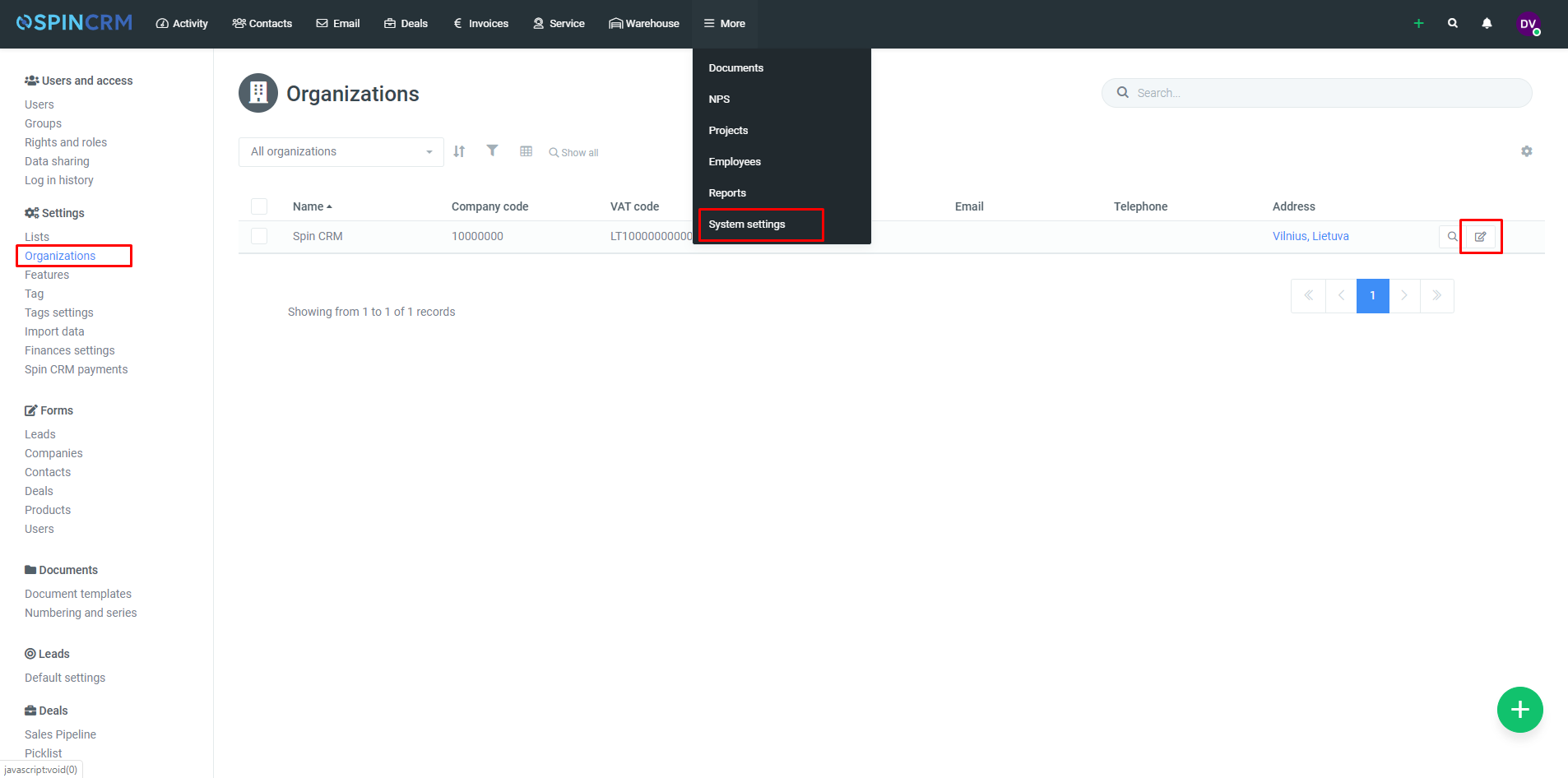
1.Open System settings.
2.Click on Organisations.
3.Next to your business, press edit button on the right.
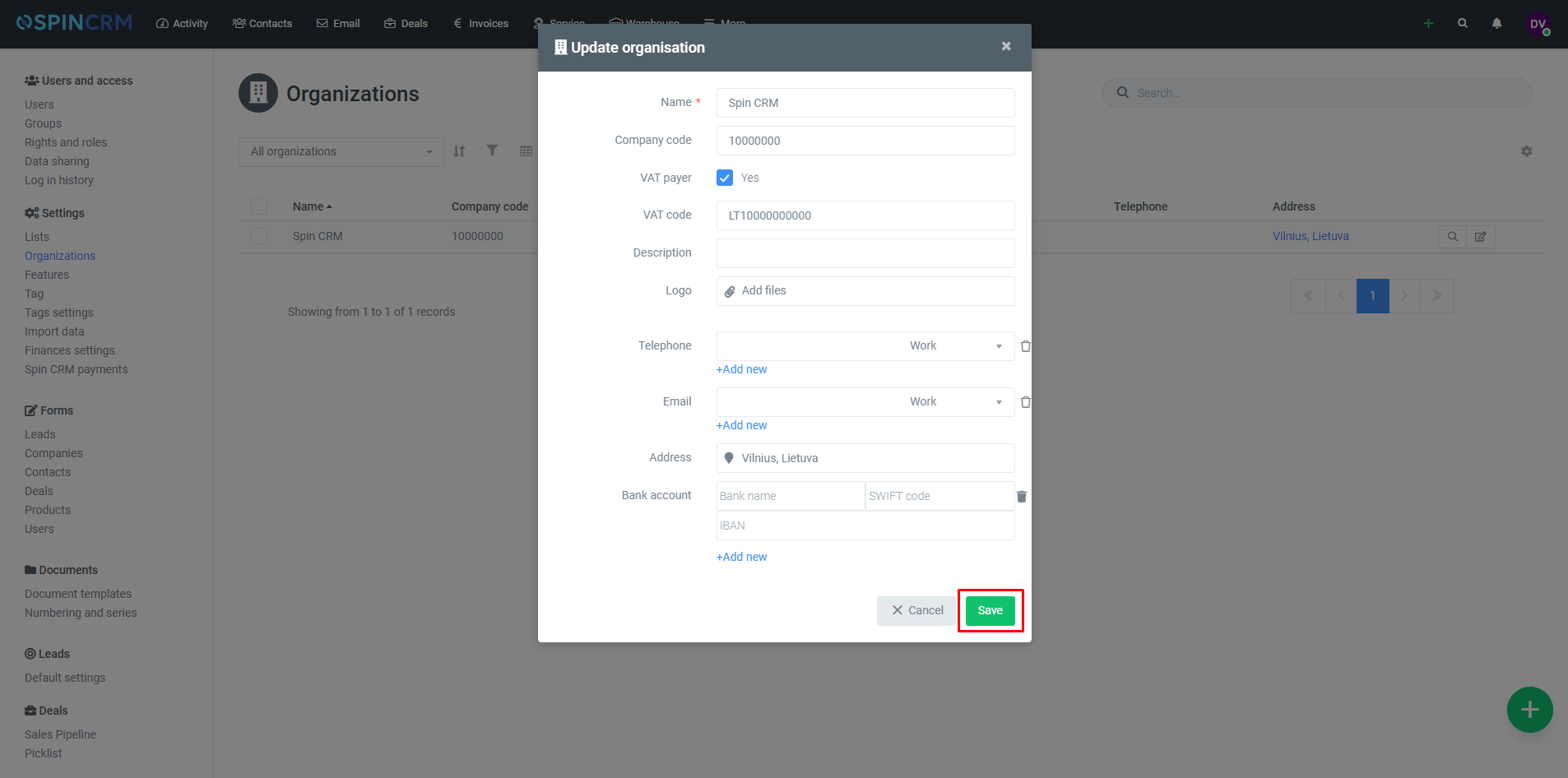
4.Change needed details.
5.Click Save.
Did not find your answer? Write to us